TP1 :
Cluster prerequisites
On the Debian VM :
kubectl config use-context minikube
kubectl get nodes
kubectl create namespace cicd
Install Helm :
curl https://raw.githubusercontent.com/helm/helm/main/scripts/get-helm-3 | bash
helm version
Install Gitea
Gitea provides an official chart that is very easy to deploy:
helm repo add gitea-charts https://dl.gitea.com/charts/
helm repo update

helm install gitea gitea-charts/gitea -n cicd
Pods sanity checks :
kubectl get pods -n cicd
kubectl get svc -n cicd
Expose Gitea to the outside with port forwarding (same principle as before (not recommanded for security)):
kubectl port-forward -n cicd svc/gitea-http --address=0.0.0.0 3000:3000
From your remote machine, open:
http://<Debian-IP>:3000
Gitea will be available on this port.
Install Jenkins
Jenkins also has an official Helm chart:
helm repo add jenkins https://charts.jenkins.io
helm repo update

helm install jenkins jenkins/jenkins -n cicd
Wait until the pod is ready:
kubectl get pods -n cicd -w
Expose Jenkins:
kubectl port-forward -n cicd svc/jenkins --address=0.0.0.0 8080:8080
Access from distant machine:
http://<Debian-IP>:8080
The initial admin password can be retrieved via:
kubectl exec -n cicd deploy/jenkins -- /bin/cat /run/secrets/chart-admin-password
or via the secret documented in the README of the chart.
TP2: Terraform on Minikube: “Linux VM” + Nginx container + one‑command destroy
Architecture
Directory layout:
terraform-minikube/
├── providers.tf
├── namespace.tf
├── linux-vm.tf
├── nginx.tf
└── outputs.tf
providers.tf
terraform {
  required_providers {
    kubernetes = {
      source  = "hashicorp/kubernetes"
      version = "~> 2.25"
    }
  }
}

provider "kubernetes" {
  config_path    = "~/.kube/config"
  config_context = "minikube"
}
namespace.tf
resource "kubernetes_namespace" "devops_lab" {
  metadata {
    name = "devops-lab"
    labels = {
      env     = "local"
      managed = "terraform"
    }
  }
}
linux-vm.tf - “Debian VM” Pod
resource "kubernetes_deployment" "linux_vm" {
  metadata {
    name      = "linux-vm"
    namespace = kubernetes_namespace.devops_lab.metadata[0].name
    labels = {
      app  = "linux-vm"
      role = "simulated-vm"
    }
  }

  spec {
    replicas = 1

    selector {
      match_labels = {
        app = "linux-vm"
      }
    }

    template {
      metadata {
        labels = {
          app = "linux-vm"
        }
      }

      spec {
        container {
          name    = "debian-linux"
          image   = "debian:stable-slim"
          command = ["/bin/bash", "-c", "--"]
          args    = ["while true; do sleep 30; done"]
          resources {
            requests = {
              cpu    = "100m"
              memory = "128Mi"
            }
            limits = {
              cpu    = "250m"
              memory = "256Mi"
            }
          }
        }
      }
    }
  }
}
nginx.tf - Deployment + Service
resource "kubernetes_deployment" "nginx" {
  metadata {
    name      = "nginx-server"
    namespace = kubernetes_namespace.devops_lab.metadata[0].name
    labels = {
      app = "nginx"
    }
  }

  spec {
    replicas = 1

    selector {
      match_labels = {
        app = "nginx"
      }
    }

    template {
      metadata {
        labels = {
          app = "nginx"
        }
      }

      spec {
        container {
          name  = "nginx"
          image = "nginx:latest"

          port {
            container_port = 80
          }

          resources {
            requests = {
              cpu    = "250m"
              memory = "50Mi"
            }
            limits = {
              cpu    = "500m"
              memory = "512Mi"
            }
          }
        }
      }
    }
  }
}

resource "kubernetes_service" "nginx" {
  metadata {
    name      = "nginx-service"
    namespace = kubernetes_namespace.devops_lab.metadata[0].name
  }

  spec {
    selector = {
      app = "nginx"
    }

    port {
      port        = 80
      target_port = 80
      node_port   = 30080
    }

    type = "NodePort"
  }
}
outputs.tf
output "nginx_access_url" {
  description = "URL to Nginx via Minikube"
  value       = "http://$(minikube ip):30080"
}

output "linux_vm_pod_name" {
  description = "Linux VM pod"
  value       = "kubectl exec -it -n devops-lab deploy/linux-vm -- /bin/bash"
}
Full workflow
Prerequisite:
Minikube is running: minikube start
terraform init
terraform plan
terraform apply -auto-approve
kubectl exec -it -n devops-lab deploy/linux-vm -- /bin/bash

terraform destroy -auto-approve
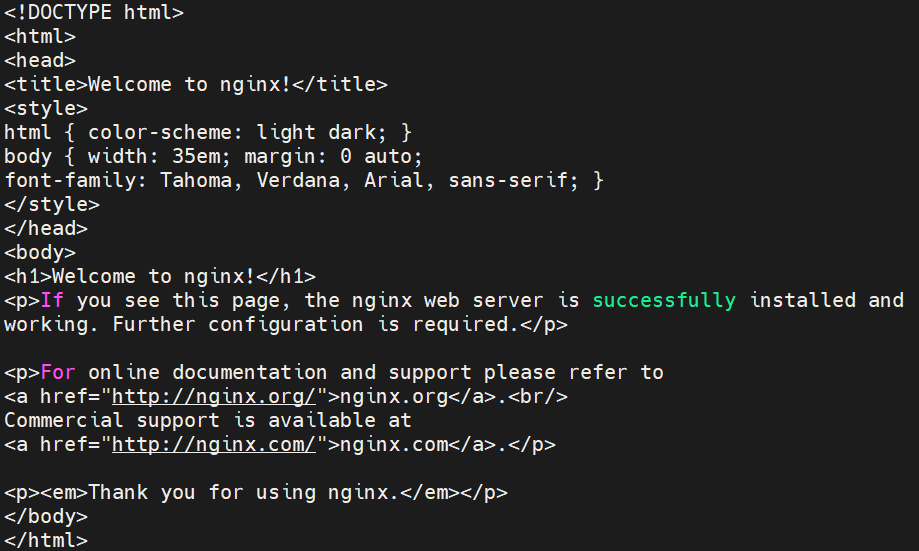
Résultat de curl http://$(minikube ip):30080
TP3: Ansible: install Apache + custom page + service enabled + idempotence
Structure
ansible-apache/
├── inventory.ini
├── playbook.yml
├── templates/
│   └── index.html.j2
└── vars/
    └── main.yml
inventory.ini
[webservers]
vm-linux ansible_host=<VM_IP> ansible_user=debian ansible_ssh_private_key_file=~/.ssh/id_rsa

[webservers:vars]
ansible_python_interpreter=/usr/bin/python3
vars/main.yml
apache_package: apache2
apache_service: apache2
web_root: /var/www/html
site_title: "Automatisation - TP3 - Ansible"
author: "Reynaud"
templates/index.html.j2
<!DOCTYPE html>
<html lang="en">
<head>
  <meta charset="UTF-8">
  <title>{{ site_title }}</title>
  <style>
    body { font-family: Arial, sans-serif; background: #1e1e2e; color: #cdd6f4; text-align: center; padding: 50px; }
    h1   { color: #89b4fa; }
    p    { color: #a6e3a1; }
    .badge { background: #313244; padding: 8px 16px; border-radius: 8px; display: inline-block; margin: 5px; }
  </style>
</head>
<body>
  <h1>{{ site_title }}</h1>
  <p>Server: <strong>{{ ansible_hostname }}</strong></p>
  <p>Deployed on: <strong>{{ ansible_date_time.date }}</strong></p>
  <p>Author: <strong>{{ author }}</strong></p>
  <div>
    <span class="badge">Terraform</span>
    <span class="badge">Ansible</span>
    <span class="badge">Apache</span>
  </div>
</body>
</html>
playbook.yml
---
- name: Déploiement Apache + page web personnalisée
  hosts: webservers
  become: false
  vars_files:
    - vars/main.yml

  tasks:

    - name: Installer les prérequis système (python3, sudo, python3-apt)
      ansible.builtin.raw: |
        apt-get update -qq && apt-get install -y python3 sudo python3-apt
      changed_when: true

    - name: Mettre à jour le cache APT
      ansible.builtin.apt:
        update_cache: true
        cache_valid_time: 3600

    - name: Installer Apache
      ansible.builtin.apt:
        name: "{{ apache_package }}"
        state: present

    - name: Créer le répertoire run d'Apache
      ansible.builtin.file:
        path: /var/run/apache2
        state: directory
        mode: '0755'

    - name: Démarrer Apache directement via apache2ctl
      ansible.builtin.command:
        cmd: apache2ctl start
      register: apache_start
      failed_when:
        - apache_start.rc != 0
        - "'already running' not in apache_start.stderr"
      changed_when: "'already running' not in apache_start.stderr"

    - name: S'assurer que le dossier web existe
      ansible.builtin.file:
        path: "{{ web_root }}"
        state: directory
        mode: '0755'

    - name: Déployer la page web via template Jinja2
      ansible.builtin.template:
        src: templates/index.html.j2
        dest: "{{ web_root }}/index.html"
        owner: www-data
        group: www-data
        mode: '0644'
      register: page_deployed

    - name: Recharger Apache si la page a changé
      ansible.builtin.command:
        cmd: apache2ctl graceful
      when: page_deployed.changed
      failed_when: false

    - name: Vérifier qu'Apache répond sur le port 80
      ansible.builtin.uri:
        url: "http://localhost"
        status_code: 200
      changed_when: false
      check_mode: false
      retries: 5
      delay: 3
      register: apache_check
      until: apache_check.status == 200

    - name: Afficher le statut final
      ansible.builtin.debug:
        msg: "Apache répond — HTTP {{ apache_check.status | default('N/A (check mode)') }}"
Commands
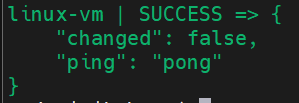
ansible -i inventory.ini webservers -m ping

ansible-playbook -i inventory.ini playbook.yml --check --diff

ansible-playbook -i inventory.ini playbook.yml
Résultat "ping"
Résultat "--check --diff"

On the second run:
PLAY RECAP
vm-linux : ok=6 changed=0 unreachable=0 failed=0 skipped=0
changed=0 confirm the playbookis idempotent.
TP4: CI/CD pipeline: Terraform VM + Ansible Nginx + Nginx reverse proxy + curl test
Architecture
Client HTTP --> [Container Nginx Reverse Proxy :80] --> proxy_pass http://vm-nginx --> [Linux VM - Nginx static site :8080]
5 étapes : validate → provision → configure → deploy_proxy → test.
terraform/main.tf (VM simulated as Pod + NodePort)
terraform {
  required_providers {
    kubernetes = {
      source  = "hashicorp/kubernetes"
      version = "~> 2.25"
    }
  }
}

provider "kubernetes" {
  config_path    = "~/.kube/config"
  config_context = "minikube"
}

resource "kubernetes_namespace" "webstack" {
  metadata { name = "webstack" }
}

resource "kubernetes_deployment" "linux_vm" {
  metadata {
    name      = "linux-vm"
    namespace = kubernetes_namespace.webstack.metadata[0].name
  }
  spec {
    replicas = 1
    selector { match_labels = { app = "linux-vm" } }
    template {
      metadata { labels = { app = "linux-vm" } }
      spec {
        container {
          name    = "debian"
          image   = "debian:stable-slim"
          command = ["/bin/bash", "-c", "apt-get update -qq && apt-get install -y -qq openssh-server && service ssh start && while true; do sleep 30; done"]
          port { container_port = 22 }
          port { container_port = 8080 }
        }
      }
    }
  }
}

resource "kubernetes_service" "linux_vm_svc" {
  metadata {
    name      = "linux-vm-svc"
    namespace = kubernetes_namespace.webstack.metadata[0].name
  }
  spec {
    selector = { app = "linux-vm" }
    port {
      name        = "ssh"
      port        = 22
      node_port   = 30022
    }
    port {
      name        = "http"
      port        = 8080
      node_port   = 30880
    }
    type = "NodePort"
  }
}
terraform/outputs.tf
output "vm_ssh_port" {
  value = 30022
}

output "vm_http_port" {
  value = 30880
}

output "minikube_ip" {
  value = "$(minikube ip)"
}
ansible/playbook.yml
---
- name: Deploy Nginx + static site
  hosts: webservers
  become: true
  vars:
    nginx_port: 8080
    site_title: "Web - CI/CD Pipeline"

  handlers:
    - name: restart nginx
      ansible.builtin.service:
        name: nginx
        state: restarted

  tasks:
    - name: Update APT cache
      ansible.builtin.apt:
        update_cache: true
        cache_valid_time: 3600

    - name: Install Nginx
      ansible.builtin.apt:
        name: nginx
        state: present

    - name: Configure Nginx on port 8080
      ansible.builtin.copy:
        dest: /etc/nginx/sites-available/default
        content: |
          server {
            listen {{ nginx_port }};
            root /var/www/html;
            index index.html;
            location / { try_files $uri $uri/ =404; }
          }
        mode: '0644'
      notify: restart nginx

    - name: Deploy custom web page
      ansible.builtin.template:
        src: templates/index.html.j2
        dest: /var/www/html/index.html
        owner: www-data
        group: www-data
        mode: '0644'
      notify: restart nginx

    - name: Ensure Nginx is started and enabled on boot
      ansible.builtin.service:
        name: nginx
        state: started
        enabled: true

    - name: Verify Nginx responds on 8080
      ansible.builtin.uri:
        url: "http://localhost:8080"
        status_code: 200
      changed_when: false
proxy/nginx.conf (reverse proxy container)
events {}

http {
  upstream backend_vm {
    server VM_IP:30880;
  }

  server {
    listen 80;
    server_name _;

    location / {
      proxy_pass         http://backend_vm;
      proxy_set_header   Host $host;
      proxy_set_header   X-Real-IP $remote_addr;
      proxy_set_header   X-Forwarded-For $proxy_add_x_forwarded_for;
      proxy_connect_timeout 10s;
      proxy_read_timeout    30s;
    }
  }
}
proxy/docker-compose.yml
services:
  reverse-proxy:
    image: nginx:alpine
    container_name: nginx-proxy
    ports:
      - "80:80"
    volumes:
      - ./nginx.conf:/etc/nginx/nginx.conf:ro
    restart: unless-stopped
.gitlab-ci.yml - full pipeline
stages:
  - validate
  - provision
  - configure
  - deploy_proxy
  - test

variables:
  TF_DIR: "terraform"
  ANSIBLE_DIR: "ansible"
  PROXY_DIR: "proxy"
  ANSIBLE_HOST_KEY_CHECKING: "False"

validate:terraform:
  stage: validate
  image: hashicorp/terraform:latest
  script:
    - cd $TF_DIR
    - terraform init -backend=false
    - terraform validate
    - terraform fmt -check
  rules:
    - if: '$CI_PIPELINE_SOURCE == "push"'

validate:ansible:
  stage: validate
  image: cytopia/ansible:latest
  script:
    - ansible-lint $ANSIBLE_DIR/playbook.yml
    - ansible-playbook --syntax-check -i "localhost," $ANSIBLE_DIR/playbook.yml
  rules:
    - if: '$CI_PIPELINE_SOURCE == "push"'

provision:
  stage: provision
  image: hashicorp/terraform:latest
  script:
    - cd $TF_DIR
    - terraform init
    - terraform plan -out=tfplan
    - terraform apply -auto-approve tfplan
    - MINIKUBE_IP=$(minikube ip)
    - echo "[webservers]" > ../$ANSIBLE_DIR/inventory.ini
    - echo "vm-nginx ansible_host=${MINIKUBE_IP} ansible_port=30022 ansible_user=root" >> ../$ANSIBLE_DIR/inventory.ini
    - echo "MINIKUBE_IP=${MINIKUBE_IP}" >> deploy.env
  artifacts:
    paths:
      - $ANSIBLE_DIR/inventory.ini
      - $TF_DIR/terraform.tfstate
    reports:
      dotenv: terraform/deploy.env
    expire_in: 1 hour
  when: manual
  only:
    - main

configure:
  stage: configure
  image: cytopia/ansible:latest
  dependencies:
    - provision
  script:
    - cd $ANSIBLE_DIR
    - ansible-playbook -i inventory.ini playbook.yml -v
  only:
    - main

deploy_proxy:
  stage: deploy_proxy
  image: docker:24
  services:
    - docker:24-dind
  dependencies:
    - provision
  script:
    - sed -i "s/VM_IP/${MINIKUBE_IP}/g" $PROXY_DIR/nginx.conf
    - cd $PROXY_DIR
    - docker compose up -d --force-recreate
    - sleep 5
    - docker ps | grep nginx-proxy
  only:
    - main

test:smoke:
  stage: test
  image: curlimages/curl:latest
  dependencies:
    - deploy_proxy
  script:
    - |
      RESPONSE=$(curl -s -o /body.html -w "%{http_code}" http://${MINIKUBE_IP}:80)
      echo "HTTP Status: $RESPONSE"
      if [ "$RESPONSE" != "200" ]; then
        echo "FAIL - Reverse proxy did not respond correctly (HTTP $RESPONSE)"
        exit 1
      fi
    - |
      if grep -q "Secure Web Stack" /body.html; then
        echo "SUCCESS - Custom page is correctly served through the reverse proxy!"
      else
        echo "FAIL - Unexpected response body"
        cat /body.html
        exit 1
      fi
  only:
    - main
L'option when: manual à l'étape provision est une bonne pratique courante dans Terraform pour les environnements CI/CD, afin d'éviter de recréer accidentellement l'infrastructure de production.
Détruire le stack
Arrêter le reverse proxy
cd proxy && docker compose down
Détruire l'infrastructure Terraform
cd terraform && terraform destroy -auto-approve
On peut également ajouter une tâche « destroy » dans GitLab avec le paramètre « when: manual », qui exécute la commande « terraform destroy -auto-approve » pour faire la destruction en un clic.